Software Built for Your RFID Workflow
Provisioning, automated monitoring, real-time alerts, study management, and more — the software that makes every read count.
- Cloud & On-Prem Solutions
- Real-Time Monitoring
- Automated Workflows
Applications Across Lab Workflows
From real-time cloud monitoring to local data capture.
- View VivoTraq
VivoTraq
Cloud monitoring- What it does
- Cloud dashboards, real-time temperature alerts, and basic study management for your monitoring program.
- Why you'd want it
- Access it from anywhere and know an animal's temperature without being in the room.
- Works with
-
- AnyCage+
- AnyCage Lite
- UID readers
- CSV import
- View Mouse Matrix App
Mouse Matrix App
Home Cage Monitoring- What it does
- Per-animal body temperature, activity, and zone location for group-housed mice, around the clock.
- Why you'd want it
- See live animal activity and the highest resolution data we offer.
- Works with
-
- Mouse Matrix
- UCT-2112
- Excel/CSV Exports
- View PiSuite
PiSuite
Lab Workflows- What it does
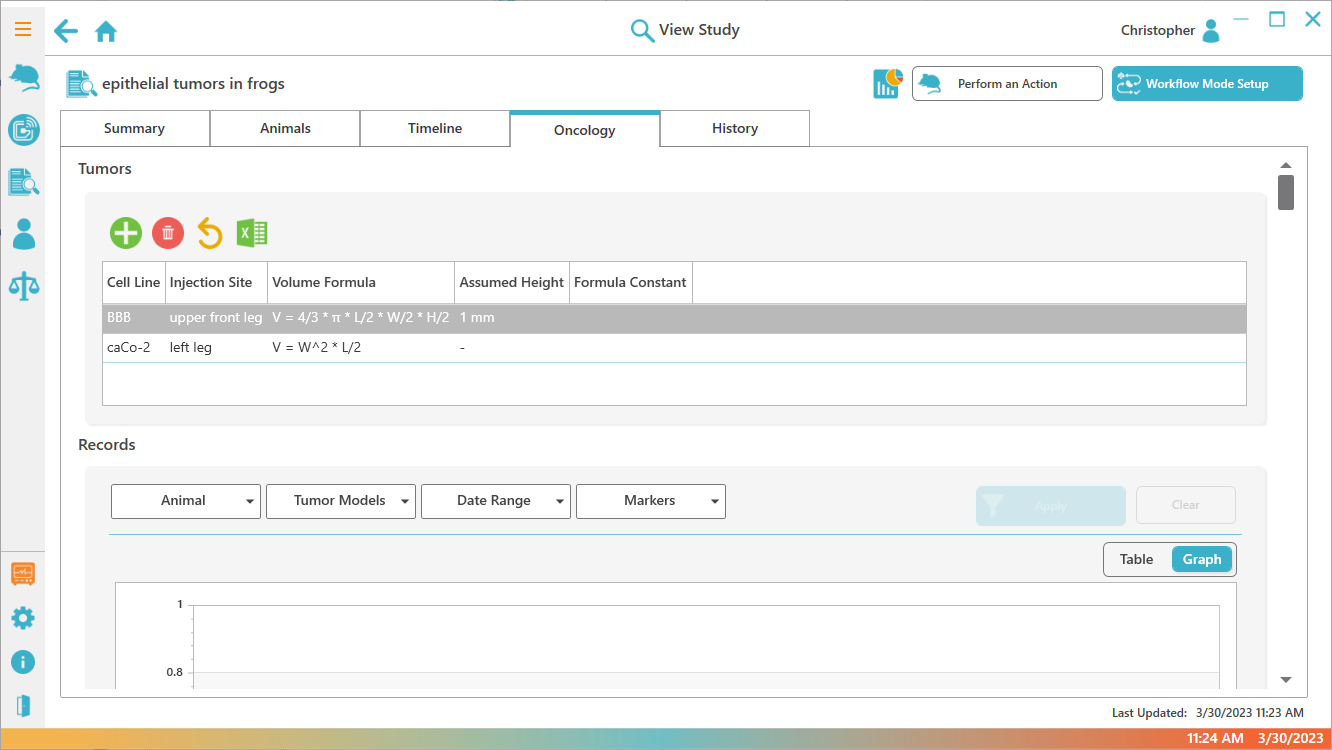
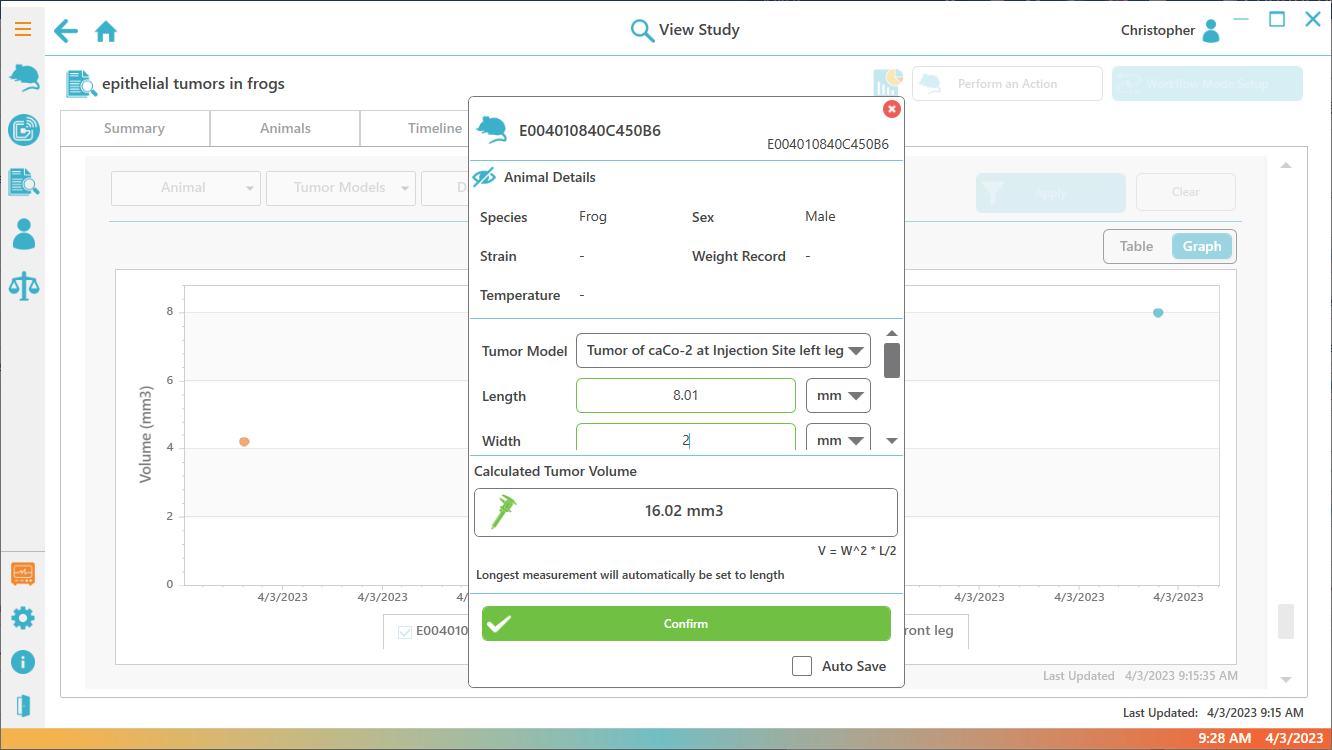
- Provisioning, Weighing, and Oncology modules, with the lab's animal and study records behind role-based access.
- Why you'd want it
- You want to automate the spreadsheet or paper workflows you run today, such as weighing or tumor measurements.
- Works with
-
- UID readers
- UBS-200L / UPS-60
- Balances
- Calipers
- View DataCollector
DataCollector
Scan to CSV- What it does
- Automated data collection from multiple readers, written straight to CSV files on your PC.
- Why you'd want it
- You want data capture that's easy to set up, with minimal IT requirements and no cloud or internet access needed.
- Works with
-
- UID readers
- CSV to Excel or LIMS
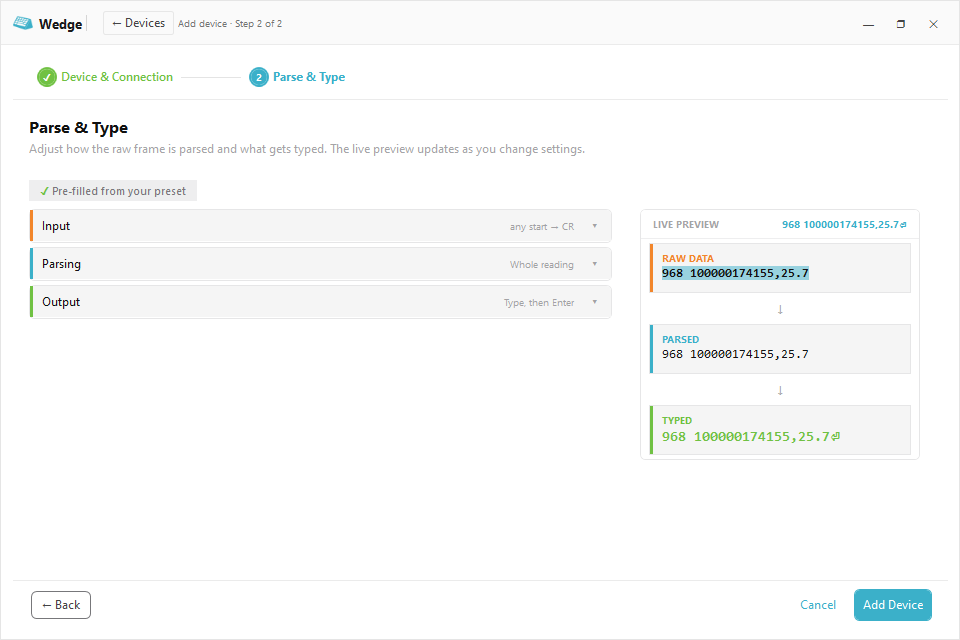
- View Wedge
Wedge
Keyboard Wedge- What it does
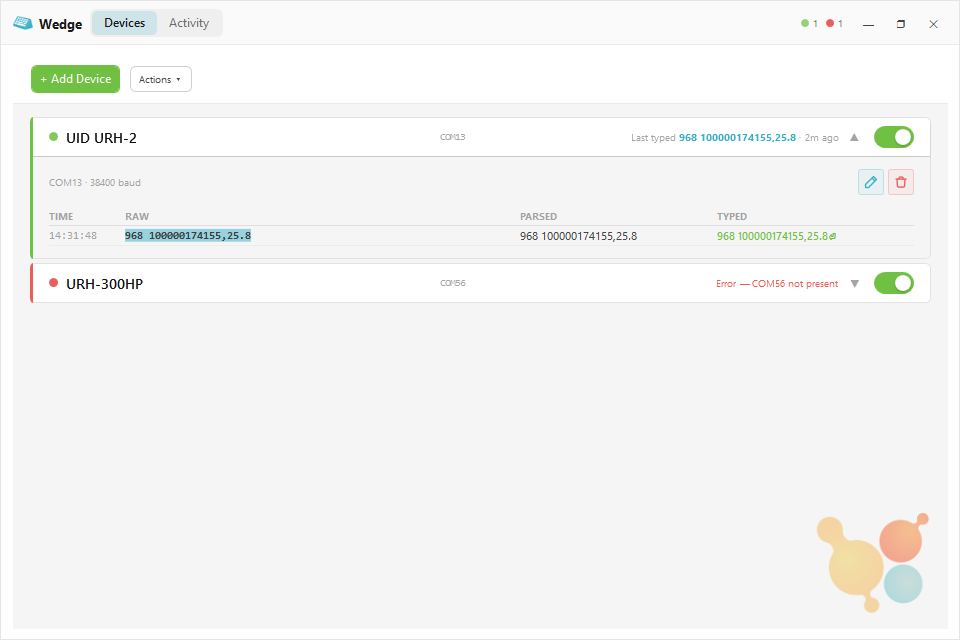
- Types device readings straight into your PC, same as a keyboard.
- Why you'd want it
- If your software accepts typed input, it accepts Wedge, with nothing to build on the LIMS side.
- Works with
-
- Readers
- Scales
- Calipers
- LIMS Compatible
- Study Management Compatible
What UID Software Does for Your Study
What changes day to day once UID software is keeping the records.
- Handle Animals Less A scan returns ID and body temperature without restraint, a Refinement you can put in the protocol.
- No Transcription The read drops onto the animal's record or into whichever field has focus, with no paper log to re-key.
- Real-Time Alerts Temperature rules flag an animal the moment a reading crosses a threshold, per animal or per label.
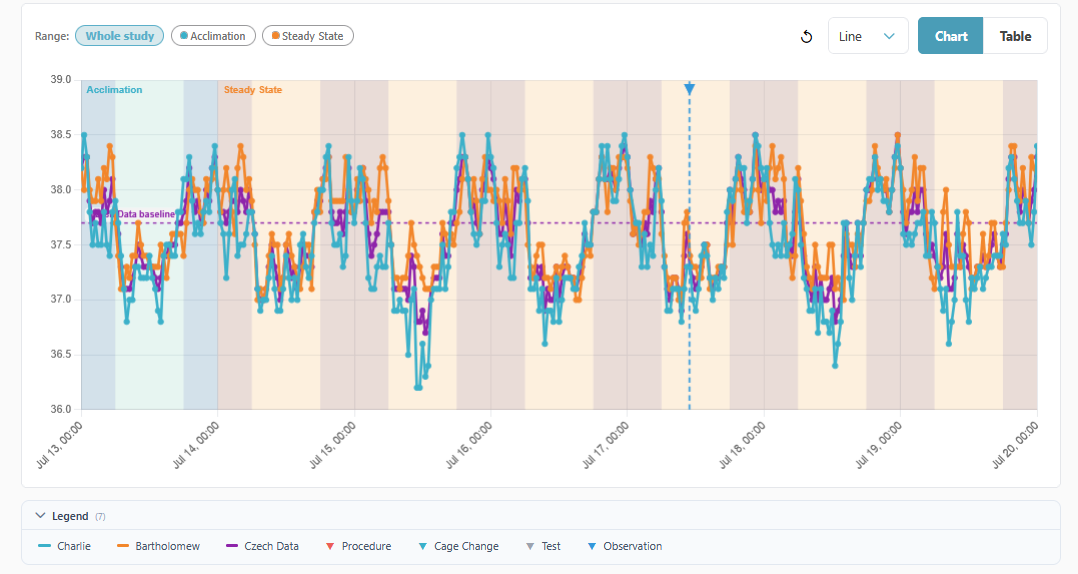
- Day/Night Context Charts shade each facility's light cycle automatically, reading it from the temperature data itself.
- Per-Animal Detail Every scan routes to a named animal history with trend charts, not an anonymous pile of rows.
- Monitor Anywhere Browser dashboards cover one lab or many sites, so you know the moment an animal crosses a bound.
- One-Click Excel Export a study to an .xlsx workbook with charts embedded, ready for analysis or a report.
- LIMS Compatible Turn any reader into a LIMS-compatible device, so the scan fills the field instead of someone retyping it.
Every Application, Screen by Screen
Open a row to see how the application fits your workflow.
Cloud monitoring VivoTraq
Browser dashboards, alerts, and study exports.
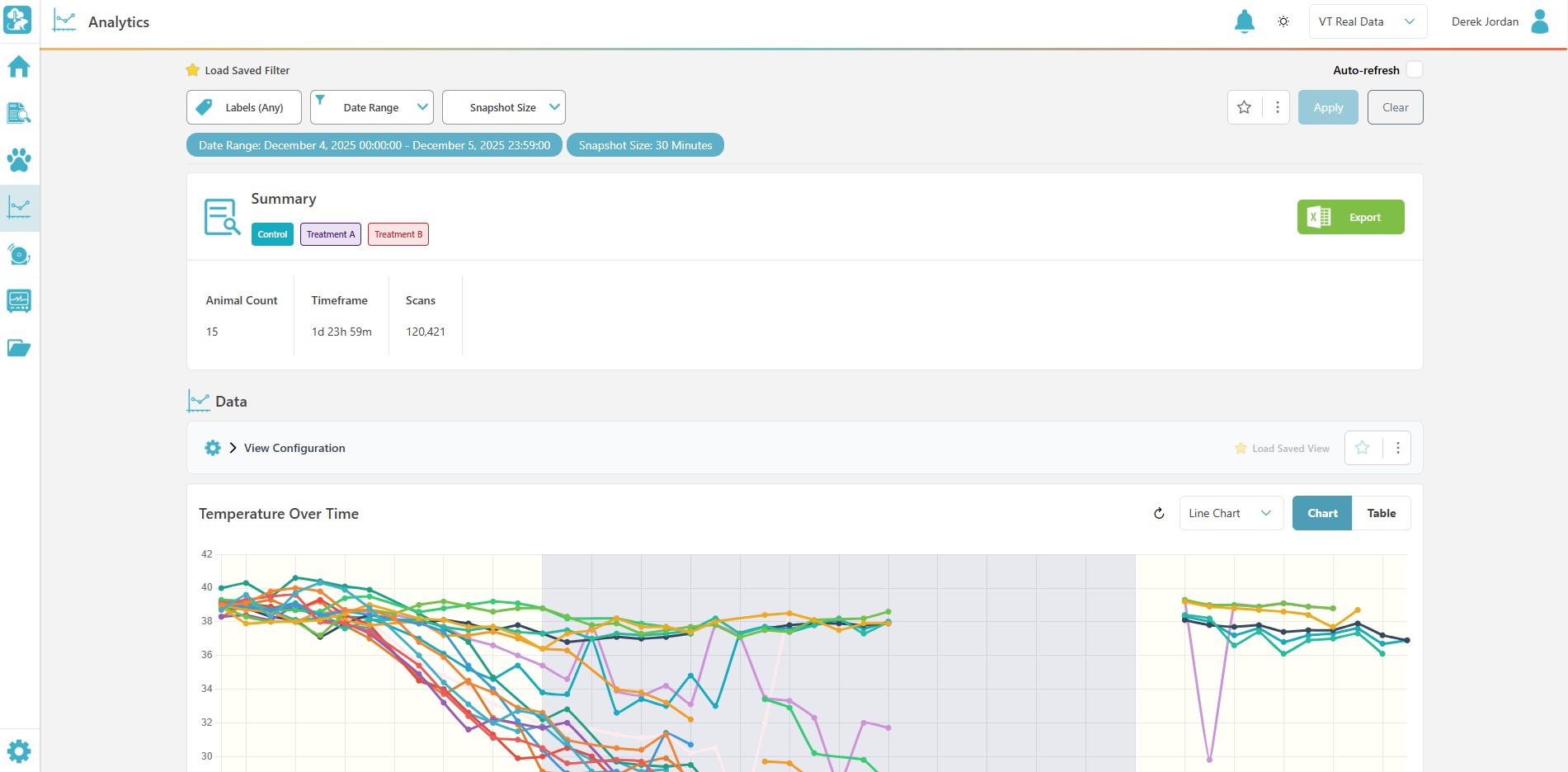
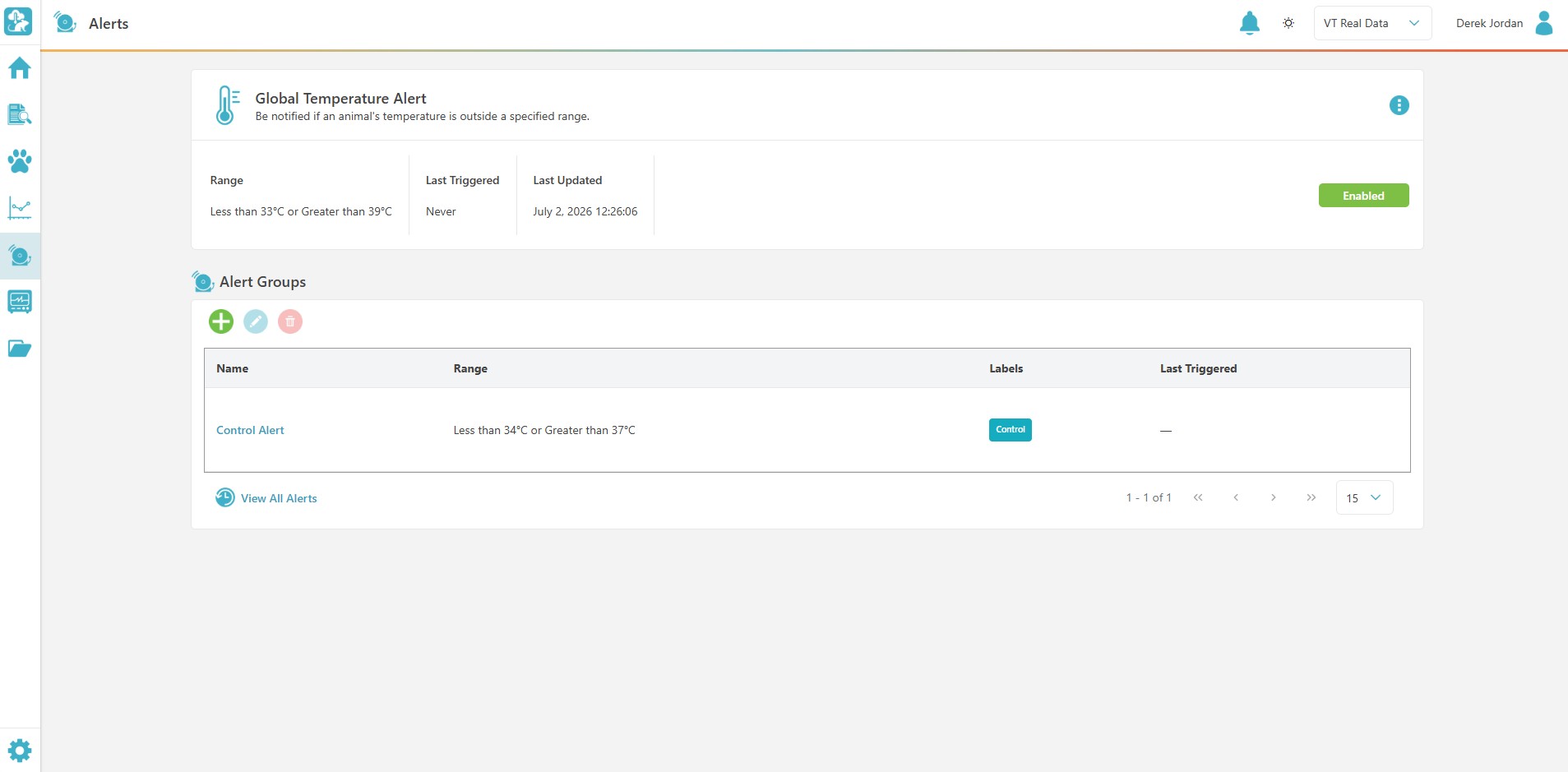
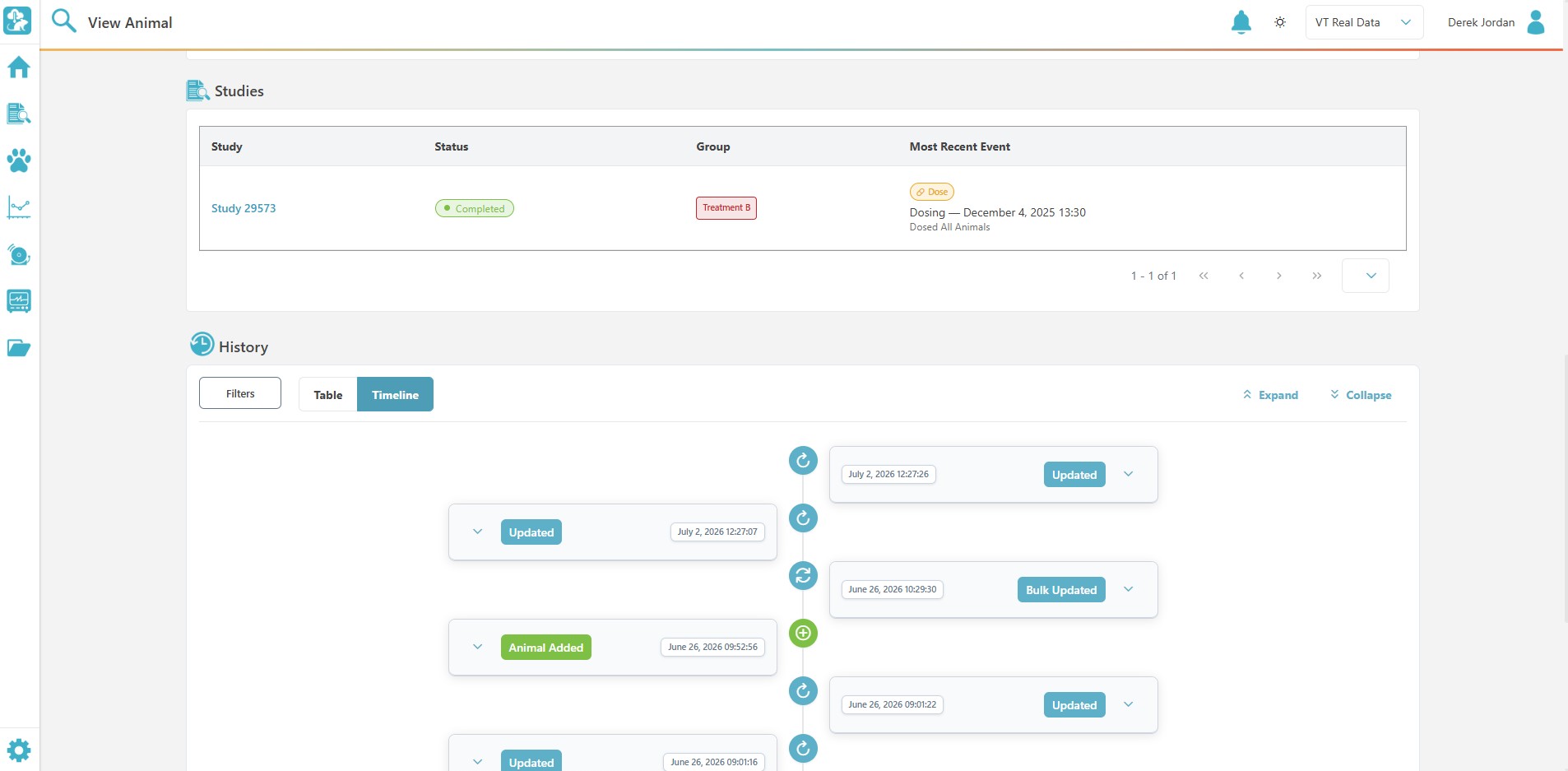
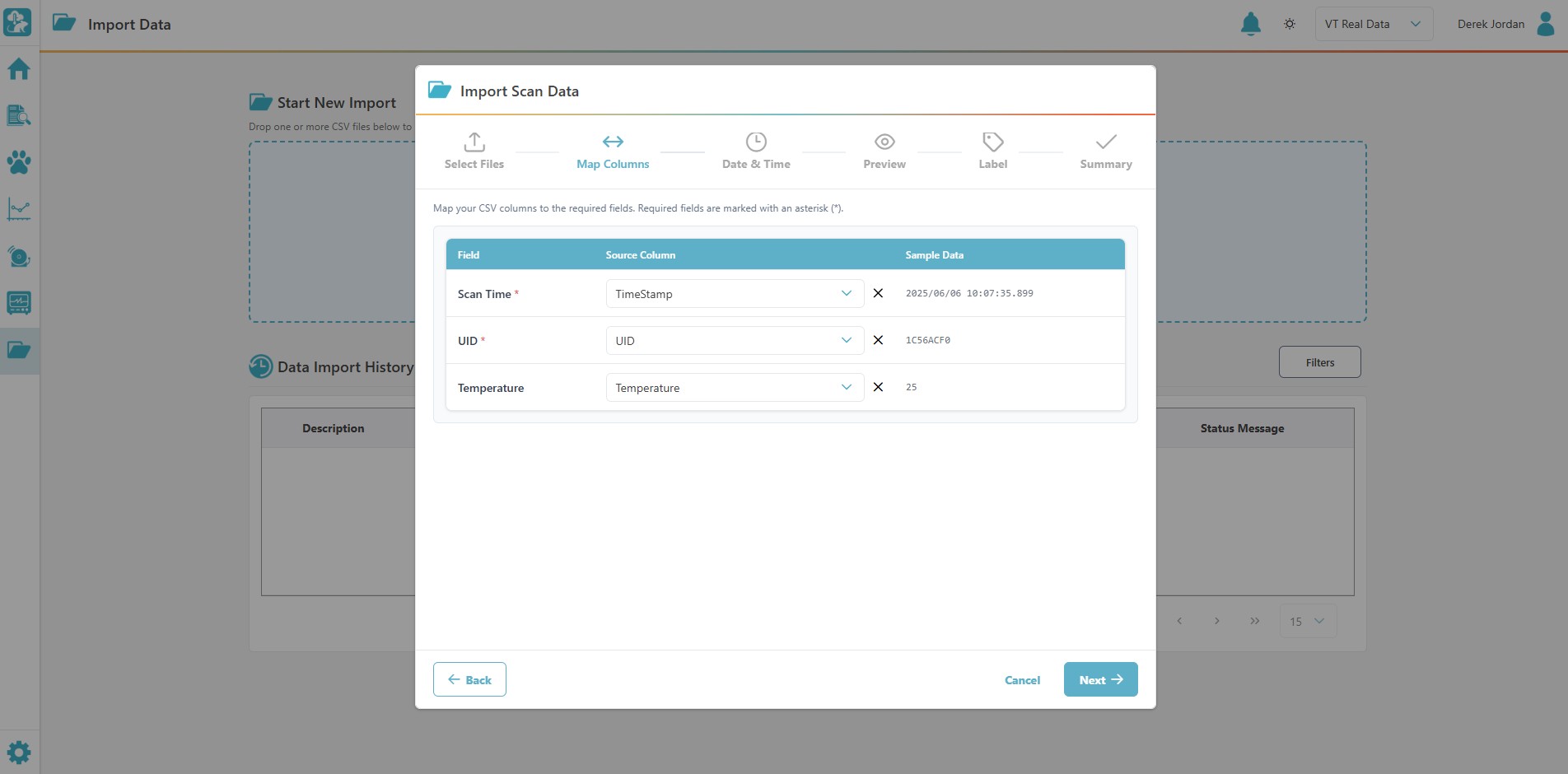
- Alert rules by animal or label
- Study dashboards and saved views
- CSV scan import wizard
- Multi-site switching
- Subscription license, commonly bundled with AnyCage+
Home-cage monitoring Mouse Matrix App
Group-housed monitoring with per-animal detail.
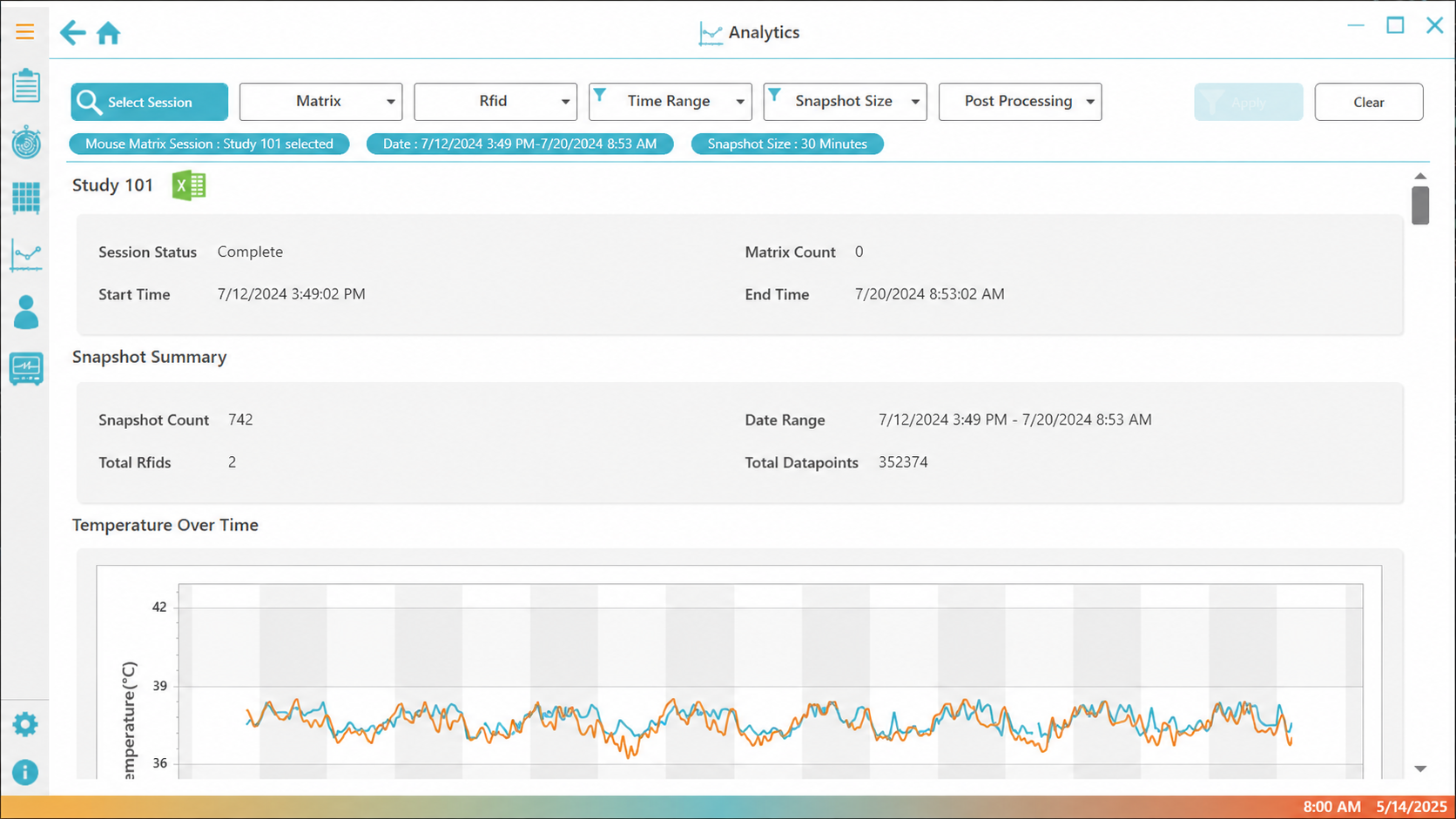
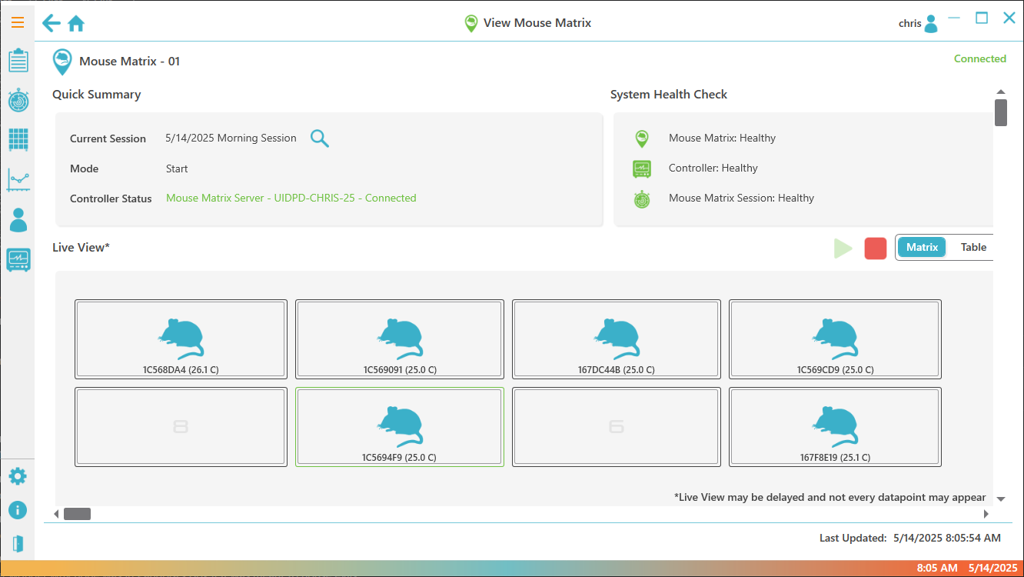
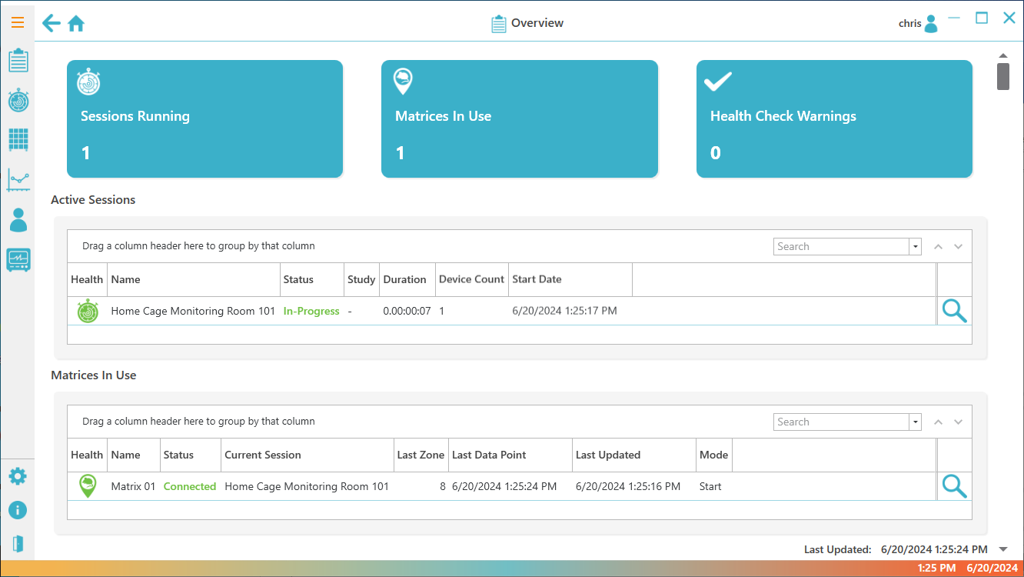
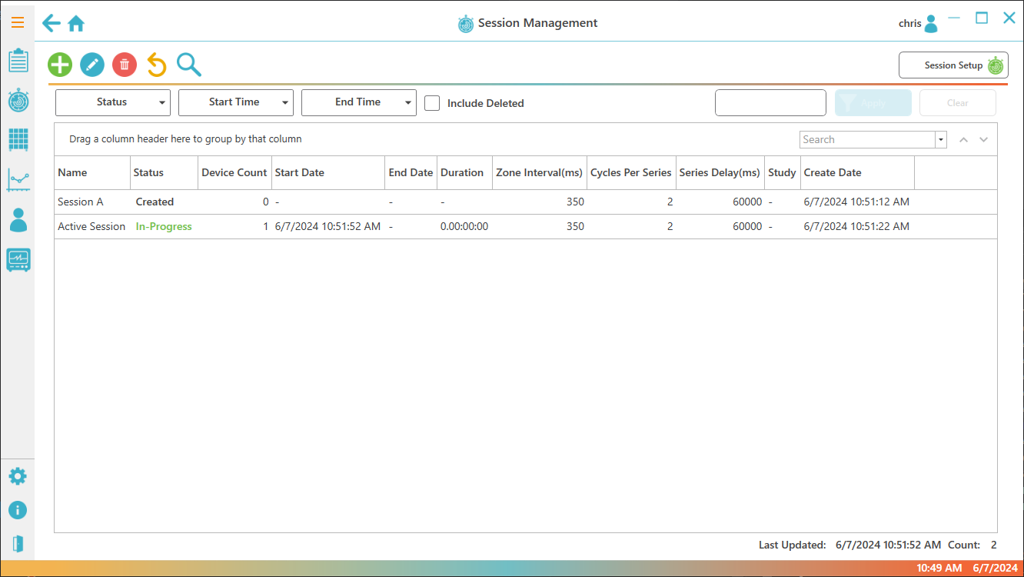
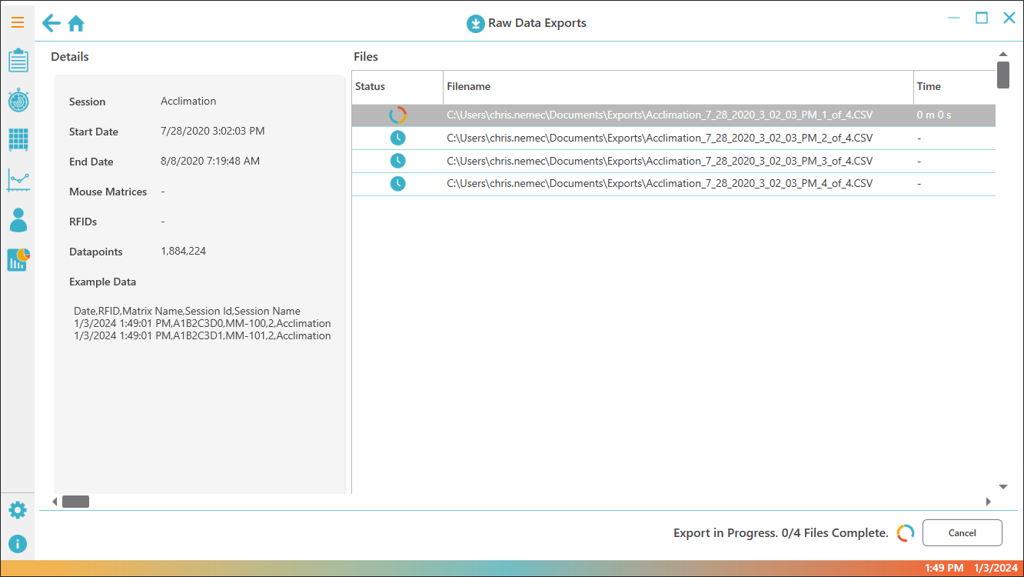
- Temperature, activity, and zone per animal
- Group-housed animals
- No separation, social groups kept intact
Lab records PiSuite
Records, provisioning, and measurement capture.
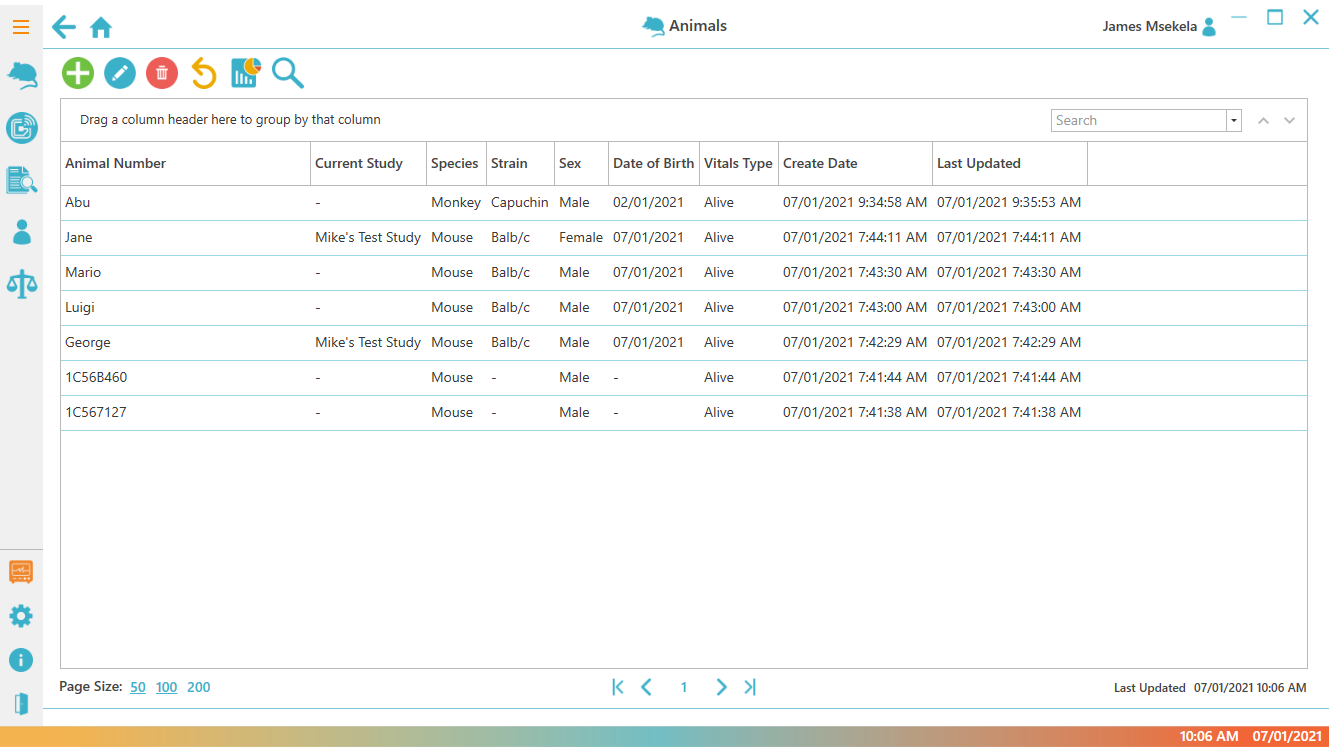
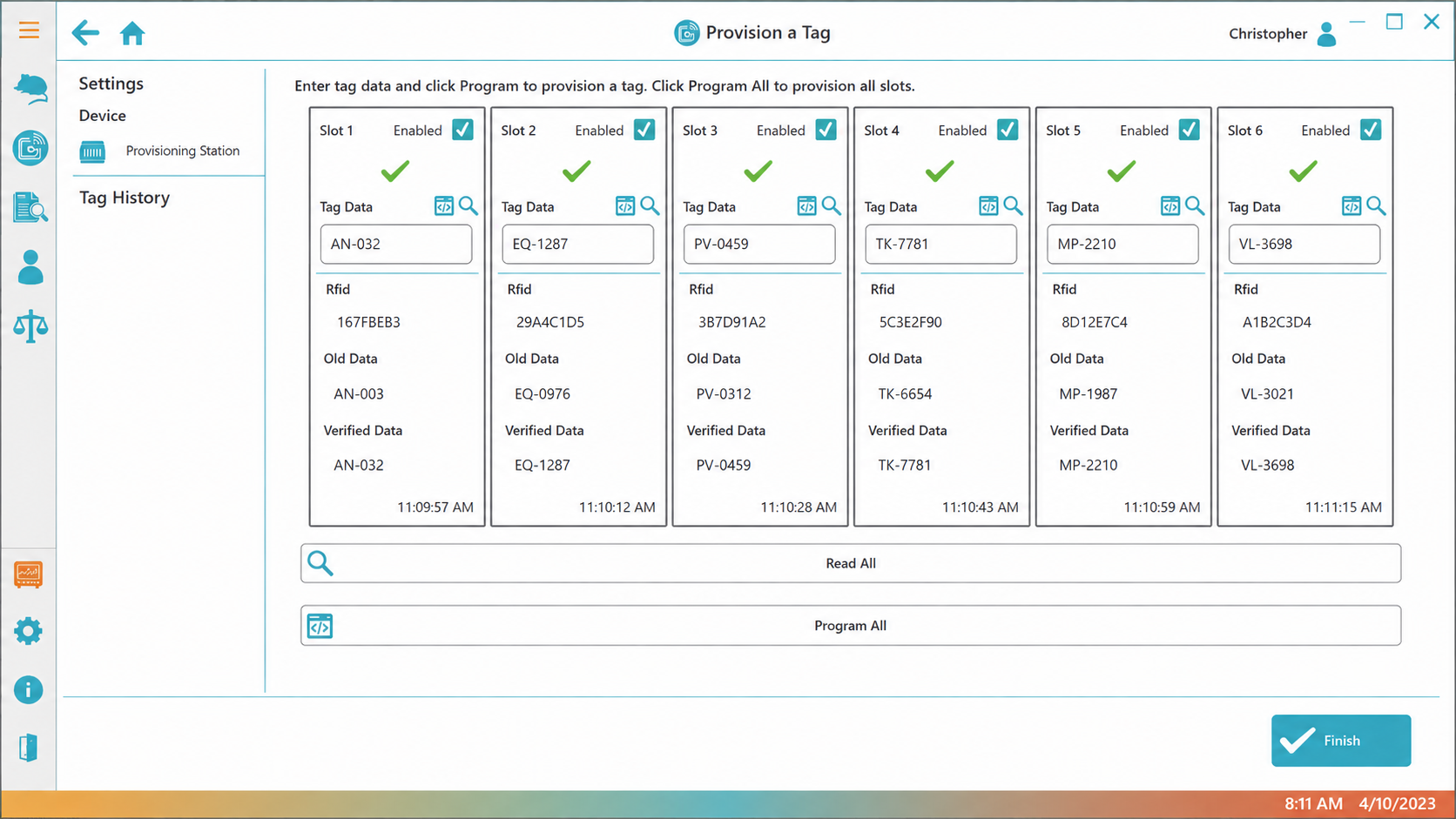
- Provisioning module for chip programming
- Weighing module with hands-free capture
- Oncology module with volume calculations
- Automatically records animal temperatures
- Local install with on-prem enterprise options
Scan capture DataCollector
Reader scans automatically written to files on your PC.
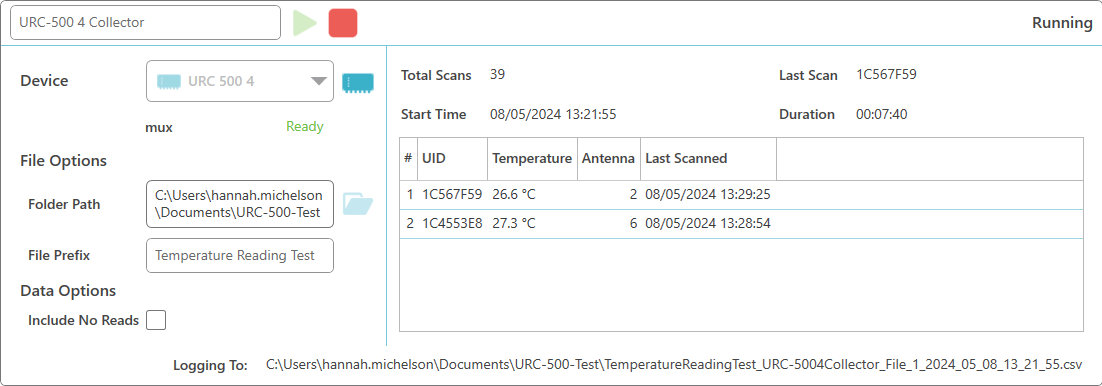
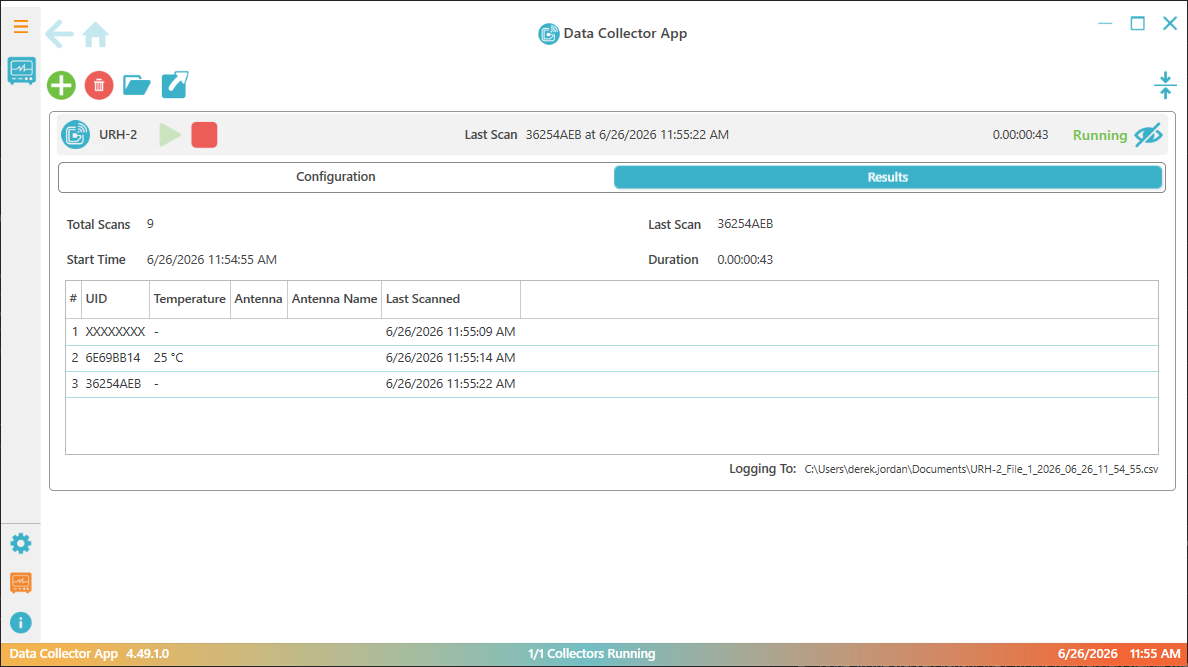
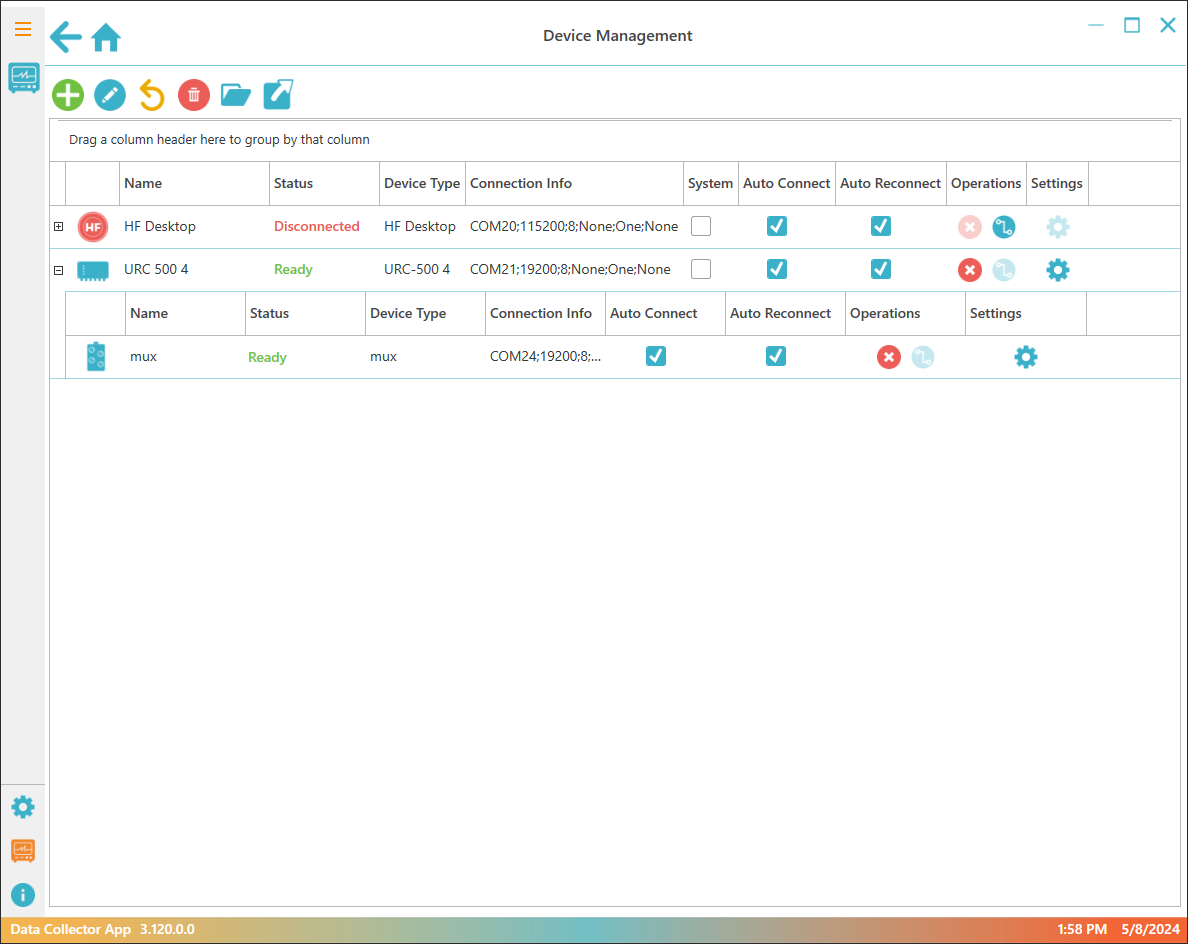
- Collect from multiple readers simultaneously
- CSV output for easy import to Excel/Prism
- Local install, minimal IT requirements
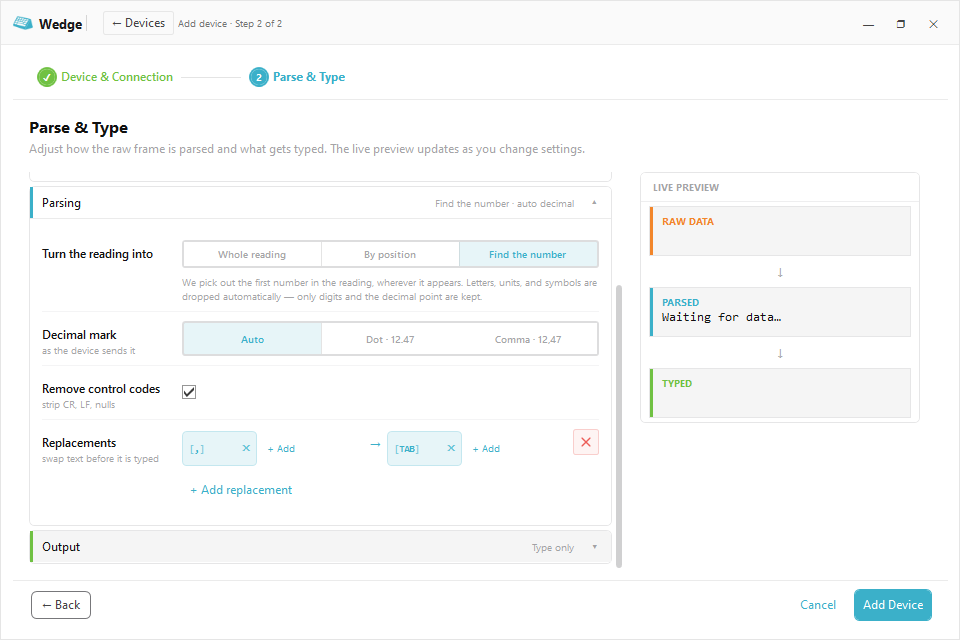
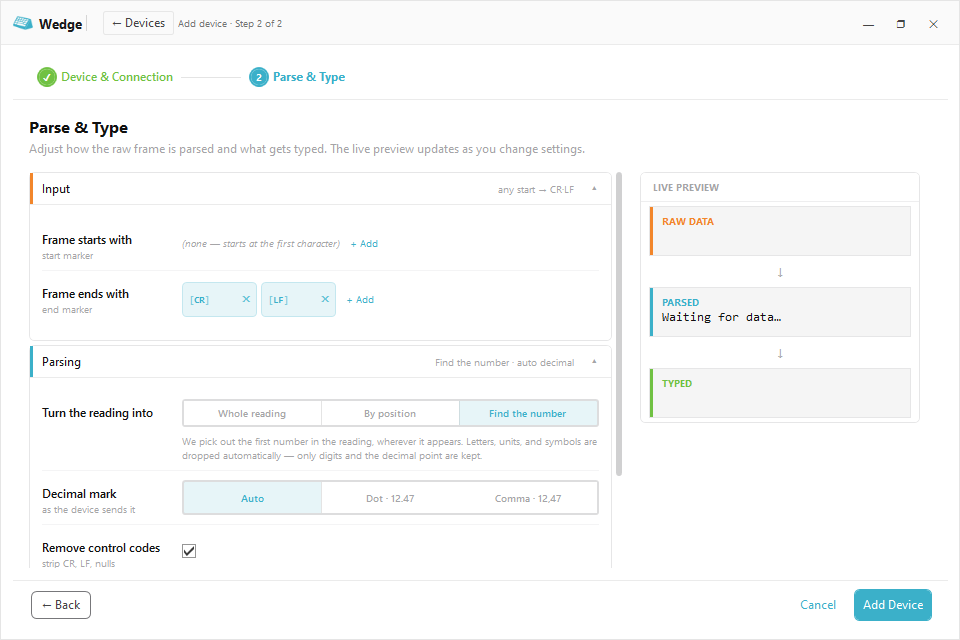
Readings typed in Wedge
Device readings typed into any focused field.
Works With the Study Platforms Your Team Already Runs













Have a Workflow the Standard Applications Don't Cover?
Every lab runs a little differently. Walk us through the workflow you need and we'll scope what it would take to build it.
Common Questions
-
Which applications monitor temperature?
VivoTraq and the Mouse Matrix App are the temperature applications. PiSuite and DataCollector record the temperature value on any scan from a temperature-capable reader, and Wedge types whatever the device reads.
-
Do the applications work together, or do we pick one?
Most studies use both. Each application stands on its own, and where they combine it is through the data: DataCollector writes the CSV at the bench, and VivoTraq imports it for dashboards and alerts. We can map the right mix to your deployment.
-
Will the data feed our LIMS or analysis pipeline?
Yes. Wedge types readings straight into the field you're in, DataCollector writes CSV files, and VivoTraq and the Mouse Matrix App export Excel workbooks. If you have a specific target format, raise it during the quote conversation.
-
Is the data secure and audit-ready?
Yes. VivoTraq keeps a time-stamped, user-attributed history of every change and alert, and PiSuite keeps records behind per-user permissions, so you can pull a traceable record the moment a reviewer asks.
-
Do we buy this from UID or a reseller?
Directly from UID. We support you from sale through go-live.
Not Sure Which Applications Fit Your Work?
Tell us what you want to do and we'll help you pick the right software for your lab.