
CSI-360 PIMS Integrations
Bring patient selection to the cabinet. CSI-360 reads patients from supported practice information management systems, then connects the cabinet transaction to the selected patient.
- Patient Lookup
- Cabinet Records
Shepherd, Vetspire, and Digitail Patient Lookup
These supported PIMS connections let staff select a patient at CSI-360 instead of retyping the patient information.
UID works directly with you and your staff on installation and setup of the integration.
From a PIMS Patient to a Cabinet Record
Patient lookup brings the patient into the workflow. CSI-360 keeps the controlled-substance transaction and its reporting history.
Check Out
-
Open the Cabinet
Sign in with your personal RFID credential and PIN. CSI-360 unlocks the cabinet and records who accessed it.
-
Check Out the Item
Scan the container's RFID label and weigh it before use. CSI-360 identifies the item and records its starting weight.
Use and Return
-
Use the Item
Take the item to the patient and use it as needed. Patient selection takes place when you return the item.
-
Scan the Item Back In
Scan the same container and weigh it again. CSI-360 calculates the amount used from the change in weight.
Complete the Record
-
Select Your Patient
Choose the patient from the records read from your PIMS to associate the amount used with the correct animal.
-
Confirm the Transaction
Review the amount and patient, add any notes, and confirm. Return the item and close the cabinet. CSI-360 saves the transaction with the staff member and timestamp.
Stored in CSI-360
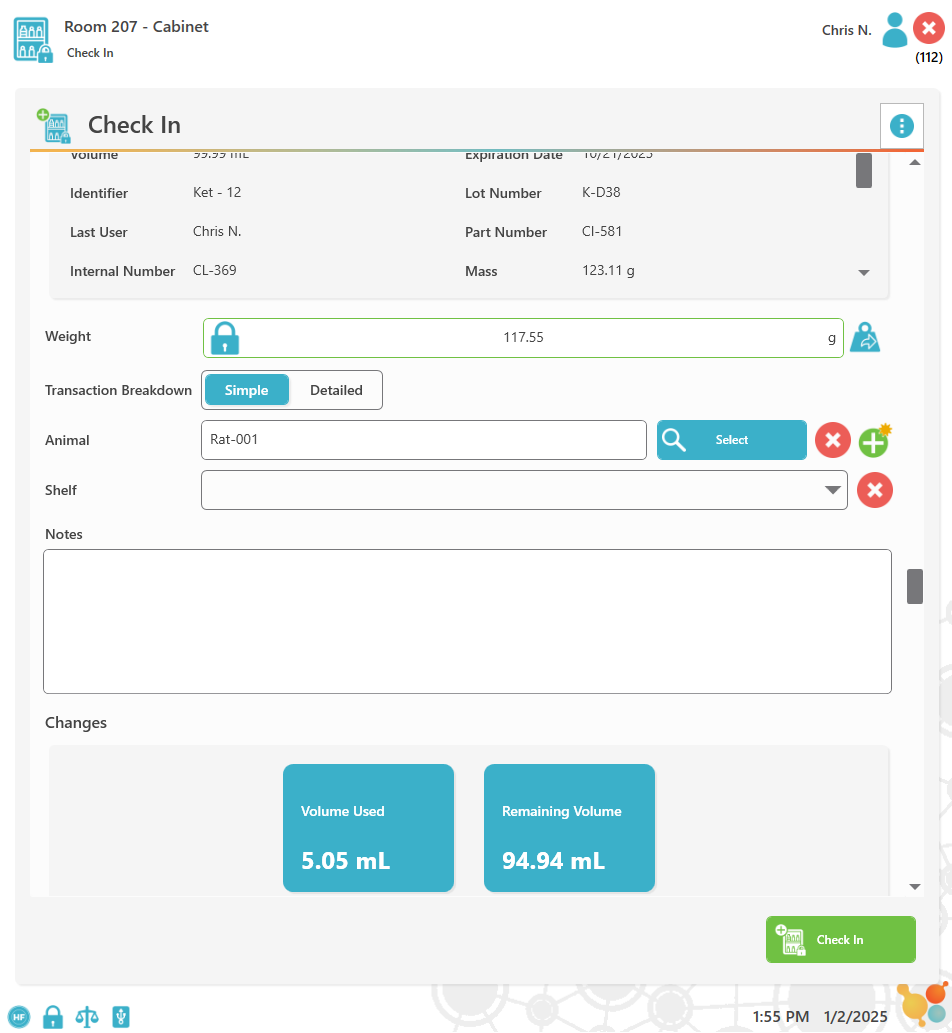
CSI-360 product screen. Review the patient-selection workflow for your setup during a demo.
The Patient and the Item Stay Connected
A veterinary controlled-substance PIMS integration is most useful when your team understands what each system does. The PIMS provides the patient record for lookup. CSI-360 manages the cabinet-side record of access and item use.
- Identify the staff member through personal sign-in.
- Identify the item using its RFID label.
- Associate the patient selected from the connected records.
- Automatic Amount Used — weighing the container automatically calculates the actual amount that left the bottle.
Patient lookup is the connection described here. If your workflow also needs charges or treatment details sent back to your PIMS, discuss that requirement with UID.
Three Things to Bring to Your Demo
-
Your PIMS Setup
Tell us your PIMS, the locations it serves, and who administers it. UID will confirm the connection path and any access or configuration requirements.
-
Your Patient Workflow
Describe how staff find patients today and which identifiers they use. Walk through a representative case to confirm how the right patient is selected.
-
Your Reporting Needs
List the cabinet reports you need and any information you expect in another system. Confirm data direction, available fields, and export needs before installation.
PIMS Integration Questions
-
Does CSI-360 work with a PIMS other than Shepherd, Vetspire, or Digitail?
Other connections are available. Tell UID the name of your PIMS and your practice's setup so we can confirm compatibility and requirements.
-
Does patient lookup automatically post charges to the PIMS?
Patient lookup means CSI-360 reads patients from the connected PIMS. The dispense is stored in CSI-360. Charge capture, treatment write-backs, or prescription updates are not currently supported in CSI-360.
-
Where do we review the controlled-substance history?
In CSI-360. Inventory, activity, user-access, and patient-related reports help your team review recorded transactions. Reports can be exported to PDF, Excel, CSV, or HTML.
-
Do we need to replace our existing cabinet?
CSI-360 can retrofit most suitable cabinets, safes, refrigerators, and freezers, or be supplied with new storage. Send UID the make and model to confirm the fit. See veterinary controlled-substance management for the complete workflow.
See Your Patient Workflow at the Cabinet
Tell us which PIMS your team uses. We'll walk through patient lookup, the recorded transaction, and the reports you need.