
Understanding Universal Pet Microchip Scanners
A scanner is useful when it reads the chips your team encounters. Check the supported chip formats, the reach you need, and how each scanned number enters your records.
What Does Universal Mean for a Pet Microchip Scanner?
A universal pet microchip scanner is intended to read multiple chip formats. The word alone is not a compatibility specification: ask which frequencies and protocols the exact model supports, including any older chips your practice or shelter may see.
Reader and scanner describe the same job here: detecting an implanted identification chip and displaying its number. ISO compatibility describes supported standards; it does not establish support for every older, non-ISO microchip.
AAHA's animal-identification position notes that chips use different frequencies and that scanners are not completely effective at detecting every microchip. Match the device to your needs and follow its manufacturer's scanning instructions.
Know What the Reader Is Being Asked to Do
-
ISO FDX-B Identification
TraqPaw and most modern RFID pet microchips use ISO FDX-B at 134.2 kHz with a 15-digit identification number. Confirm that the scanner supports FDX-B for these chips.
-
HDX and Large-Animal Work
HDX is another ISO animal-identification protocol. If it is part of your tag population, choose a reader that explicitly supports it as well as the reach your work requires.
-
Older or Unknown Chips
An ISO-only specification does not establish support for older non-ISO formats. Ask about the exact reader model and your existing chips before ordering.
What These UID Veterinary Readers Support
Use the published model specifications to shortlist a reader, then confirm the chip formats and setup you need.
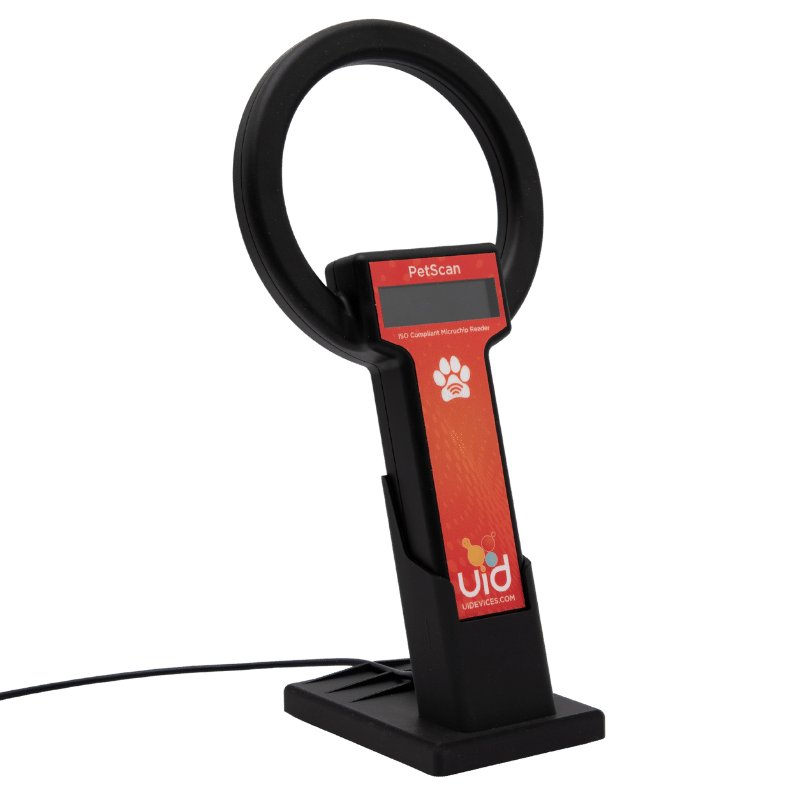
| Compatibility or feature | PetScan URH-2 ISO Clinic handheld | URH-300HP-ISO Large-animal handheld |
|---|---|---|
| TraqPaw / ISO FDX-B | Supported | Supported |
| ISO HDX | Unsupported | Supported |
| Older non-ISO chips | Unsupported* | Unsupported* |
| Read Range | Up to 7.1 cm | 6–8 in |
| Wired output | USB: HID keyboard or serial | USB: HID keyboard mode |
| Bluetooth | Optional | Optional |
| Protection class | IP54 | IP54 |
- Choose by patient and workflow Full Reader Comparison
- * If your protocol isn't listed, we may have other options. Ask us about your chips. Check Compatibility
Check How the Pet's Microchip ID Reaches Your Software
A scanner that displays a number and a scanner that enters it into your software can support different workflows. Confirm the output mode and connection as well as the chip protocol.
- HID keyboard mode: the scanned ID is entered into the field that currently has focus, like keyboard input.
- Serial output: a software connection receives the reader's data stream where supported.
- Bluetooth: an optional connection on selected configurations; confirm the reader, host, and output mode together.
PetScan supports USB keyboard or serial output. The URH-300HP-ISO offers USB keyboard output and optional Bluetooth. Reader output is a different function from CSI-360 PIMS patient lookup.
How to Check Pet Microchip Registration
For a dog or cat, start with the microchip number. Use AAHA's lookup to find participating registries, then contact the listed registry to check your pet's record and current contact details.

Get the Microchip ID
-
Check Your Pet's Records
Look for the microchip ID on the registration card, adoption paperwork, or veterinary record.
-
Ask Your Vet if Needed
If you cannot find the number, ask your veterinary clinic to scan your pet and record it.

Find the Registry
-
Enter the Microchip Number
Use AAHA's Universal Pet Microchip Lookup Tool. Enter the number without spaces or punctuation, then check it for errors.
-
Read the Results
Note the registries listed and their contact information.

Confirm the Record
-
Contact the Registry
Use its account or support process to verify your pet's record and your current contact details.
-
Save Your Confirmation
Keep the registry name, microchip number, and confirmation with your pet's records.
Pet Microchip Scanner Questions
-
Will a UID veterinary reader scan another brand's chip?
Both featured readers support compatible ISO FDX-B chips, including TraqPaw and supported chips from other manufacturers. URH-300HP-ISO also supports HDX. Confirm older or unknown formats with UID.
-
Does ISO-compatible mean it reads every pet microchip?
No. Check the protocols listed for the specific model. Support for ISO FDX-B or HDX does not, by itself, establish compatibility with every older non-ISO format.
-
Does a blank scan prove an animal has no chip?
No. Follow your organization's scanning process and the reader manufacturer's instructions, and consider whether the reader supports the possible chip formats. Ask your veterinary team about unresolved identification questions.
-
Can an RFID scanner tell me whether the owner's registration is current?
The scanner reads the chip number. Registration is a separate record held by a registry. Our registration-check guide explains how to find the registry and confirm the contact details.
-
Which reader should we consider for equine or large-animal work?
The URH-300HP-ISO supports FDX-B and HDX, with greater published reach than PetScan and an optional URH-PLEX antenna. Actual range depends on the tag and setup; discuss your application with UID.
-
Does reading an identification chip also mean reading temperature?
No. Identification and temperature compatibility are separate capabilities. Confirm the temperature chip and reader pairing specifically; support for ISO identification alone does not establish temperature support.
Choose the Next Step for Your Team
-
Compare Veterinary Readers
Compare patient fit, protocol support, read range, connections, and accessories.
-
Plan Shelter Microchip Supply
Choose chips, scanners, record materials, and the adoption handoff together.
-
Check a Registration
Find the registry associated with a number and confirm the record there.
Common Pet Microchip Terms
Compatibility and Lookup References
Read AAHA's animal-identification guidance for its position on chip and scanner compatibility, and the AAHA lookup FAQs for what registry lookup results contain.
UID model details: PetScan URH-2 ISO and URH-300HP-ISO. For TraqPaw specifications, see pet microchips for veterinary practices.
Choose a Scanner for the Chips You Encounter
Tell us your current reader, known chip formats, patient types, and how the number needs to reach your software. We'll help confirm the fit.